


Spingreen mobile: browser access and what to expect
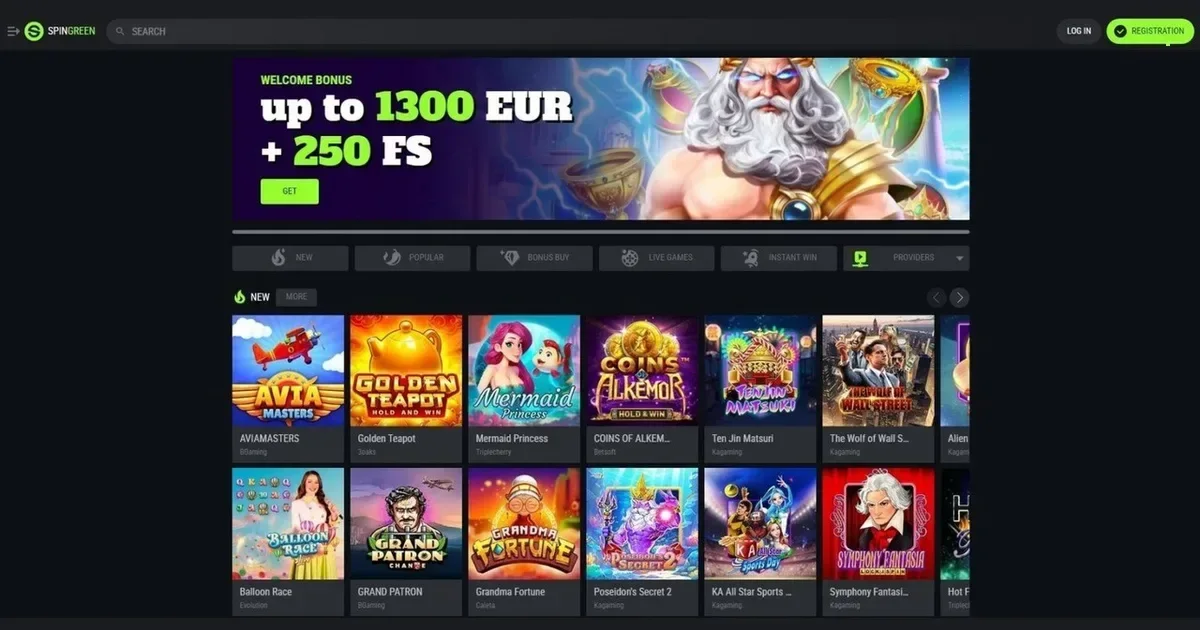
















Playing from a phone means thinking about connection stability, screen size and how long a session lasts when you are away from a desktop. Spingreen runs in a mobile browser without requiring an installed application, which keeps access straightforward but introduces a few practical constraints worth knowing before you start. This page covers what works, what does not, and what to check first.
What to check before playing on mobile
A few small steps make a real difference to how smoothly a session runs from a phone:
- Connection quality – live dealer tables and jackpot slots need stable data; a weak signal mid-spin can drop the session.
- Correct address – type the operator's own domain directly rather than following a saved link, which may point to an outdated cached page.
- Sign out on shared devices – a phone passed to a friend or family member still holds your logged-in session unless you close it properly.
- Deposit limits set before you leave home – setting a daily cap at a desktop is easier than adjusting it mid-session on a small screen.
These are not technical requirements; they are practical habits that keep control over a session that might otherwise stretch longer than intended.
Browser access: no download required
Spingreen does not require a native application. The platform runs directly in Safari, Chrome, Firefox or any modern mobile browser, using the same account and balance as the desktop site. Registration, deposits, withdrawals and game play all happen through the browser without installing anything or creating a second login.
This approach keeps the process simple – open the site, sign in, and the library loads as it would on a laptop. The downside is that a browser tab can be closed by accident more easily than a dedicated app, and switching between the casino and another app may reload the page depending on how much memory the phone has free.
The mobile site in practice
Once signed in, the layout adapts to the screen width. The main lobby shows Spingreen's game categories – slots, live casino, table games, jackpots, instant games, crash and fishing titles – as tappable tiles rather than a sidebar menu. A search bar sits at the top for finding a specific title by name.
Good to know: the mobile site carries the same library as the desktop version. All 78 providers listed in the catalogue are available, though some older slots with fixed desktop layouts may not scale well to a portrait screen. The cashier page lists the same payment methods – cards, e-wallets, bank transfers and cryptocurrency options – with the same minimum deposit of EUR 10 and the same limits per method.
Verification can be completed from a phone by uploading photos of identity documents through the account settings. The KYC threshold of EUR 2,000 in aggregate deposits or any withdrawal request applies identically on mobile. Support is reached via the email address given on the contact page; there is no live chat confirmed in the operator's published channels.
Features that survive the small screen
Most of what players use day to day works without compromise on a phone:
- Game filters – sorting by provider, category or jackpot size loads the same results as on desktop.
- Cashier – deposit and withdrawal forms fill out as normal, with the same processing times and fees applying.
- Account limits – responsible gambling tools such as deposit limits and self-exclusion periods can be set from the mobile account settings.
- Loyalty programme – the ten-level system tracks points earned from real-money bets on mobile sessions, and cashback percentages (ranging from 3% at level one to 25% at level ten) apply identically.
Live dealer tables present a table feed, a bet interface and a chat window all at once, which can feel cramped on a phone smaller than six inches. Pinch-to-zoom helps with reading card values, but the chat and bet history often overlap the video feed unless rotated to landscape.
Where mobile is worse than desktop
A few tasks become noticeably harder on a small screen. Comparing bonus terms across the welcome package – which spans four deposits with different match percentages and free-spins allocations – means scrolling through several screens of text without being able to see two terms side by side. Wagering contributions (slots count 100%, other games 10% toward the 3× deposit turnover) are easier to track on a desktop where a second tab can hold a calculator.
Battery drain is real with live casino sessions. A 90-minute blackjack run can empty a phone from 80% to 20%, especially with video streaming and constant screen-on time. Charge before starting, or keep mobile sessions shorter than desktop ones.
The responsible gambling self-test link provided by the operator opens an external page, which may not render well on older phones. Setting a deposit limit or requesting self-exclusion works fine, but reading through the RG policy itself – several thousand words – is more comfortable on a larger screen.
Responsible play from a device you always carry
A phone is always within reach, which makes it easier to play more often than originally planned. Spingreen's deposit limit tool can be set to a daily, weekly or monthly cap, and self-exclusion options range from one day to permanent closure. These controls are worth setting before the first mobile session rather than during one.
Gambling should remain entertainment, not an obligation. If sessions start feeling automatic rather than deliberate, or if the screen time report shows casino visits every day, it is worth pausing. Free, confidential support is available in the UK through GamCare (National Gambling Helpline: 0808 8020 133, 24/7) and BeGambleAware. GamStop provides free national self-exclusion, and blocking software such as Gamban or BetBlocker can prevent access across all devices. This content is restricted to those aged 18 and over (18+).
This page is provided for information and marketing purposes only. We are not a casino operator, a bookmaker or an organiser of gambling. Access to this content is restricted to persons aged 18 and over (18+). We encourage you to gamble responsibly – for free, confidential support visit BeGambleAware.org.
Last updated:
Frequently asked questions
Can I play Spingreen in a mobile browser without downloading anything?
Yes. Spingreen runs directly in Safari, Chrome, Firefox or any modern mobile browser, using the same account as the desktop site. No application download is required.
What can I do on mobile that I can do on desktop?
Everything: game play across all categories, deposits and withdrawals through the full range of payment methods, identity verification by uploading documents, setting deposit limits, and tracking loyalty points. The mobile site mirrors the desktop platform.
Are all payment methods available on a phone?
Yes. The mobile cashier lists the same options as desktop – cards, e-wallets, bank transfers and cryptocurrency – with the same EUR 10 minimum deposit and identical limits per method.
Does mobile use a different login or balance?
No. The same username, password and account balance apply across desktop and mobile. Loyalty points, deposit limits and verification status are shared between both.
Game Providers